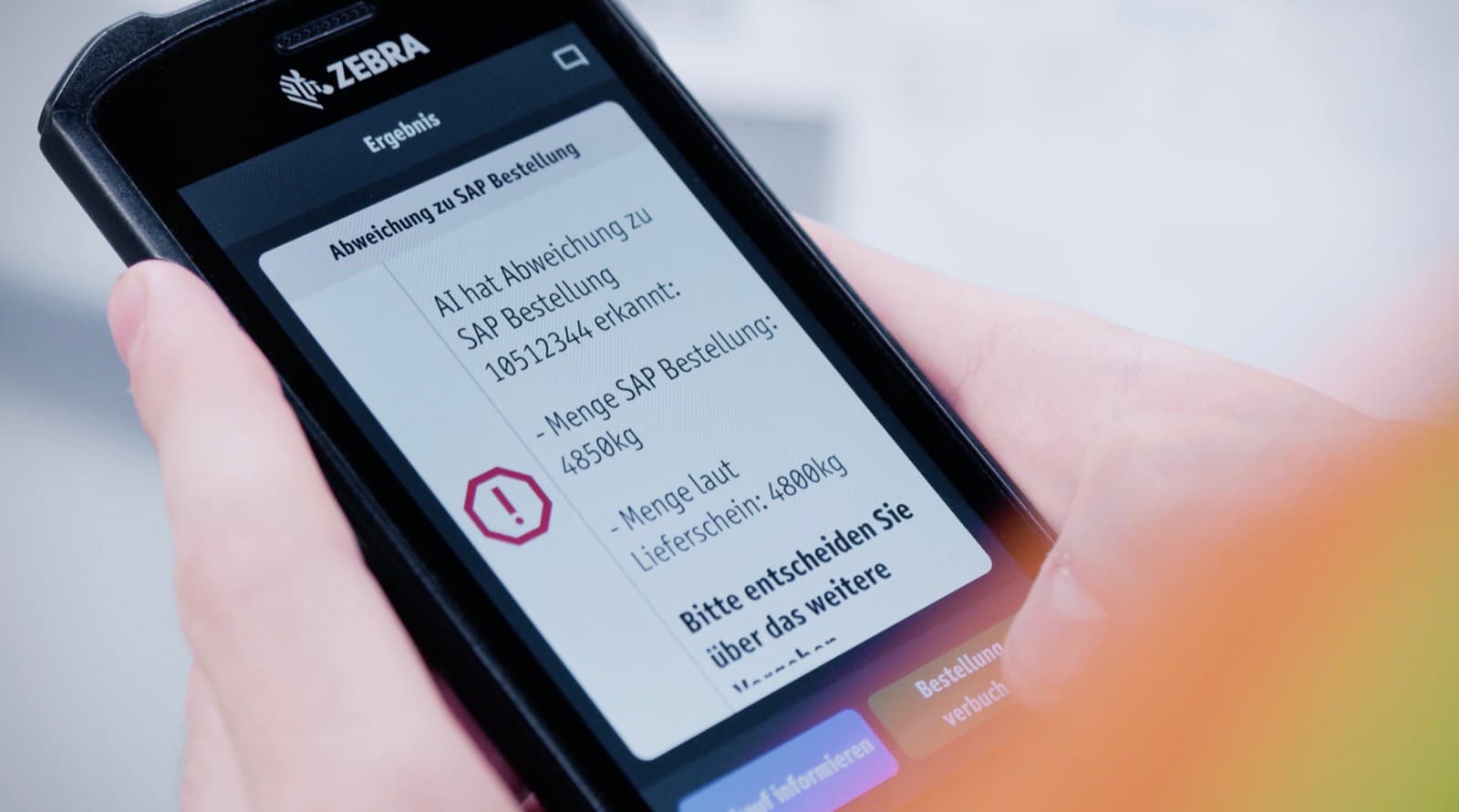
How to Connect Work Instructions to SAP Production Orders
Share article
Quick answer: Connecting work instructions to SAP production orders means the instruction, revision, and quality checks a worker sees at the station come from the live SAP order (material, variant, batch, routing), not from a document someone picked by hand. Workerbase reads the order through SAP's PP and QM interfaces and writes the confirmed result, deviations, and timestamps back once the work is done.
Most plants already run SAP. Most also have work instructions somewhere: a PDF on a shared drive, a laminated sheet at the station, a document viewer bolted onto the line as an afterthought. The two rarely talk to each other. Rockwell Automation's 2026 survey of 1,560 manufacturing decision-makers found that 93% of manufacturers run some form of execution system, but only 23% report it fully integrated across ERP, quality, and operational technology, which is exactly the gap a SAP-to-instruction connection is built to close. An operator opens an order in SAP, then goes looking for the instruction that matches it by memory or by asking whoever has been on the line longest. Digital work instructions close that gap by binding the instruction directly to the SAP production order, so the right revision, for the right variant, shows up without anyone choosing it.
The order in SAP drives what happens at the station, and what happens at the station writes back into SAP: that two-way link, rather than a document viewer sitting on top of SAP, is what work instructions SAP integration means. Workerbase has built this into deployments running SAP ME, SAP PP, and standalone SAP ERP with no MES layer in between, including thyssenkrupp Rasselstein's SAP integration covering goods receipt and material transport. Full integration coverage across SAP, MES, QMS, and SCADA runs on the same underlying connectivity described in the table below — the same connectivity that lets AI work across PLM, SCADA, ERP, and MES instead of inside a single system at a time.
What does connecting work instructions to SAP production orders actually mean?
The SAP production order (material number, variant, batch, routing, quantity) determines which instruction, revision, and checks a worker sees, automatically, and the confirmed steps, measurements, and deviations write back to that order in SAP once the work finishes. Nothing is chosen manually at either end.
Without this connection, the order and the instruction exist in two systems nobody has wired together. The operator has to translate between them: reading the order number off a screen, then hunting for the matching document, then hoping it is the current revision. Every one of those steps is a place a wrong part gets built, a stale revision gets used, or a quality check gets skipped because nobody had time to look it up. Wiring the two together removes the translation step entirely. The order arrives, the correct instruction is already attached to it, and the record of what happened flows back without anyone re-typing it.
How does SAP send production order data to a work instruction system?
SAP exposes production order data through a small number of standard interfaces, and which one applies depends on the SAP version already in the plant, not on the work instruction platform. Workerbase connects through whichever interface the customer's SAP landscape already supports.
| Interface | What it carries | Typical fit |
|---|---|---|
| BAPI / RFC | Order header, operations, components, confirmations | Classic ECC systems, real-time calls |
| IDoc | Order create/change, goods movements, confirmations | Batch or near-real-time, high volume |
| OData / REST APIs | Order data, master data, confirmations | S/4HANA, cloud-first integrations |
| Middleware / iPaaS | Any of the above, mapped and monitored centrally | Multiple SAP instances, phased rollouts |
None of these require replacing SAP or adding an MES as a precondition. ISA-95, the standard that defines how enterprise systems like SAP exchange data with the operations layer below them, places this exchange at the boundary between Level 4 (business planning, where SAP sits) and Level 3 (production operations, where the instruction and the confirmation happen). Workerbase operates at that boundary directly, whether or not an MES is also present.
How does the right work instruction get selected automatically?
Workerbase resolves the instruction from the order's own data: material number and variant determine which document applies, batch or serial number determines which revision is current, and routing step determines which section the worker sees next. The match happens before the operator opens anything.
This matters most in high-mix environments, where the same station can run eighty or more variants across a shift and a wrong instruction means rework or scrap rather than an inconvenience. A folder full of PDFs, however well organized, still asks a human to pick the right one under time pressure. Reading the variant straight off the order removes that decision from the worker entirely, which is also where most instruction errors originate in plants that haven't made this connection.
What happens after the work is confirmed, and what writes back to SAP?
Once the operator completes the guided steps, Workerbase writes the confirmation, the quality result, and any deviation back to the SAP order through the same interface it read from, typically as an order confirmation (CO11N-equivalent) or a quality notification. The record includes who did the work, when, and against which revision. That capture only works if the station is generating structured data in the first place, which is why shop floor data collection software is key to closing this loop at all.
Common failure points, without work instructions written back to SAP:
- Confirmations get entered from memory at shift end, hours after the work happened
- Deviations get mentioned verbally and never reach the quality record
- The revision actually used at the station is never captured anywhere
Write-back closes all three. The order in SAP reflects what was actually built, not what a supervisor remembered to type in later.
How to set this up: five steps
- Confirm the SAP interface already in use. Most plants already have BAPI, IDoc, or OData connectivity for other purposes (inventory, quality, logistics). Reuse it rather than opening a new integration project.
- Map the order fields that drive instruction selection. Material number, variant, batch, and routing step are usually enough; add order-specific fields only where the plant genuinely varies by them.
- Bind existing instructions to those fields. Existing SOPs, drawings, and setup sheets get linked or ingested rather than rewritten; a re-authoring project isn't a precondition.
- Define what writes back and where. Decide, per use case, whether confirmations post as order confirmations, quality notifications, or both, and agree the mapping with whoever owns the SAP side.
- Pilot on one line before expanding. A single line, one product family, proves the mapping is right before it is applied plant-wide.
Results manufacturers see once instructions and SAP orders are connected
Manufacturers running this integration report fewer variant-driven errors, faster changeovers, and, for the first time, a confirmation record that matches what actually happened on the line rather than what was written down afterward. It also lands at a time when Deloitte's 2026 manufacturing outlook found that 80% of manufacturers plan to put at least a fifth of their improvement budgets toward smart manufacturing work this year, which is the kind of budget line this integration is built to justify.
thyssenkrupp Rasselstein's SAP integration, part of a unified interface layer replacing several legacy system frontends, delivered 12–15% worker productivity improvement alongside AI-powered goods receipt processing that reduced manual effort at the point of intake. GKN Powder Metallurgy, coordinating skill-based work assignment against live order data, went from concept to production deployment in less than three months, with roughly 80% of manual work processes now managed through Workerbase. Dantherm's ERP-integrated quality checkpoints cut unplanned line stops by 36%, with full traceability carried from the workstation back to ERP.
None of these figures are specific to a single SAP module; they reflect what changes once the order, the instruction, and the confirmation stop living in separate systems. See a work instructions SAP integration mapped against your own SAP interface before committing to a scope.
Common mistakes when connecting work instructions to SAP
- Treating it as a document viewer project. If the instruction still has to be opened and matched by hand, the integration hasn't actually happened, even if the content is technically pulled from SAP.
- Re-authoring content before connecting it. Existing SOPs and setup sheets can be bound to order data as they are; a full content rewrite is a separate decision, not a precondition.
- Skipping the write-back. An integration that only reads from SAP still leaves confirmations and deviations to be entered by hand later, which is the failure this integration is meant to remove.
- Assuming an MES has to sit in between. SAP PP and QM interfaces connect directly to the operations layer; an MES is useful for other reasons but isn't a gatekeeper for this specific integration.
Frequently Asked Questions
Do I need SAP S/4HANA to connect work instructions to production orders, or does this work with ECC?
Both. ECC systems typically connect through BAPI/RFC or IDoc, while S/4HANA adds OData and REST APIs on top of the same underlying order data. The interface changes; the order fields that drive instruction selection (material, variant, batch, routing) don't. Workerbase supports both generations without requiring an upgrade first.
Do I need an MES before I can connect work instructions to SAP orders?
No. SAP PP and QM interfaces connect directly to the operations layer without an MES sitting between them. An MES adds value for scheduling and machine-level tracking, but it isn't a prerequisite for binding a work instruction to a production order or writing a confirmation back.
How long does this integration usually take to go live?
A single-line pilot, scoped to one product family and reusing an existing SAP interface, typically reaches go-live within weeks rather than months, because the integration work is mapping order fields to instructions rather than building new connectivity from scratch. Plant-wide rollout timelines depend on how many variants and routings need mapping.
What SAP data actually drives which instruction a worker sees?
Material number and variant determine which document applies, batch or serial number determines which revision is current, and the routing step determines which part of the instruction the worker sees next. These four fields cover most high-mix production scenarios without additional customization.
What gets written back to SAP once the work is confirmed?
Typically an order confirmation covering who did the work and when, a quality result against the order's quality plan where one exists, and any recorded deviation. The exact target (order confirmation versus quality notification) is a mapping decision made during setup, not a fixed rule.
Does this replace SAP's own production order confirmation screens?
No. It replaces the manual step of a worker or supervisor opening those screens and typing in what happened after the fact. The confirmation still lands in the same SAP order; it arrives from the station in real time instead of from memory at shift end.
What happens if the connection to SAP drops mid-shift?
Workerbase continues guiding execution using the last order data it received, and queues confirmations locally until the connection is restored, so a temporary SAP outage doesn't stop the line. Deviations and completions sync automatically once connectivity returns.