How to Create Digital Work Instructions with AI
Share article
Quick answer: Digital work instructions replace a paper SOP or laminated sheet with a guided, step-by-step application on a worker's device. To create one with AI, describe the process in plain language, upload the existing SOP, or record a short video of the step. The system assembles a structured draft, an ops reviewer approves it, and it is live at the station by the next shift.
Most assembly lines still run on documentation nobody opens under pressure. The SOP is accurate and sits two clicks away in SharePoint or on a laminated sheet at the station. When the operator is behind takt time, they work from memory, and a skipped step surfaces at final inspection instead of at the point where it happened. Creating digital work instructions with AI closes that gap by making the instruction itself something a process expert can build in minutes rather than something IT has to schedule for a future sprint.
This article covers how the creation step actually works: what you feed the system, what comes out the other side, how long it takes, what happens to the SOPs you already have, and where the governance sits so an AI-assembled instruction is safe to run on a live line.
What are digital work instructions, and how do they differ from a paper SOP?
A digital work instruction is a guided, step-by-step application that runs on a worker's device at the station, enforcing sequence and capturing confirmation at each step. A paper SOP is a static document; a digital work instruction is an active system that will not let a step be skipped without a trace.
The practical difference shows up under time pressure. A paper SOP or a PDF on a shared drive assumes the operator will retrieve it, read it, and follow it correctly, and none of those three steps is verified. A digital work instruction puts the current, approved revision directly in front of the worker in sequence: the next step does not open until the previous one is confirmed, and a skipped or failed step triggers an escalation rather than silence. Version updates reach every station the moment they are published, so there is no outdated laminated sheet still circulating on the floor.
| Paper SOP | Digital work instruction | |
|---|---|---|
| Where it lives | Binder, shared drive, laminated sheet | Worker's device at the station |
| Sequence enforcement | None; relies on memory | Step cannot be skipped without a trace |
| Version control | Manual replacement, often incomplete | Every station updates the moment a version is approved |
| Record of what happened | Paper traveler, often missing at audit | Every confirmed step logged with operator, order, station, and timestamp |
How do you create a digital work instruction with AI, step by step?
Creating a digital work instruction with AI starts with a plain-language description, an uploaded SOP, or a short video of the process, which the system turns into a structured, step-by-step draft. An ops reviewer edits and approves the draft before it publishes, so nothing reaches a worker's device unreviewed.
The sequence runs in four steps:
- Describe the process. A process expert or line supervisor describes the task in plain language, records a short video of the correct method, or uploads the existing SOP or PDF. No engineering input is required to start.
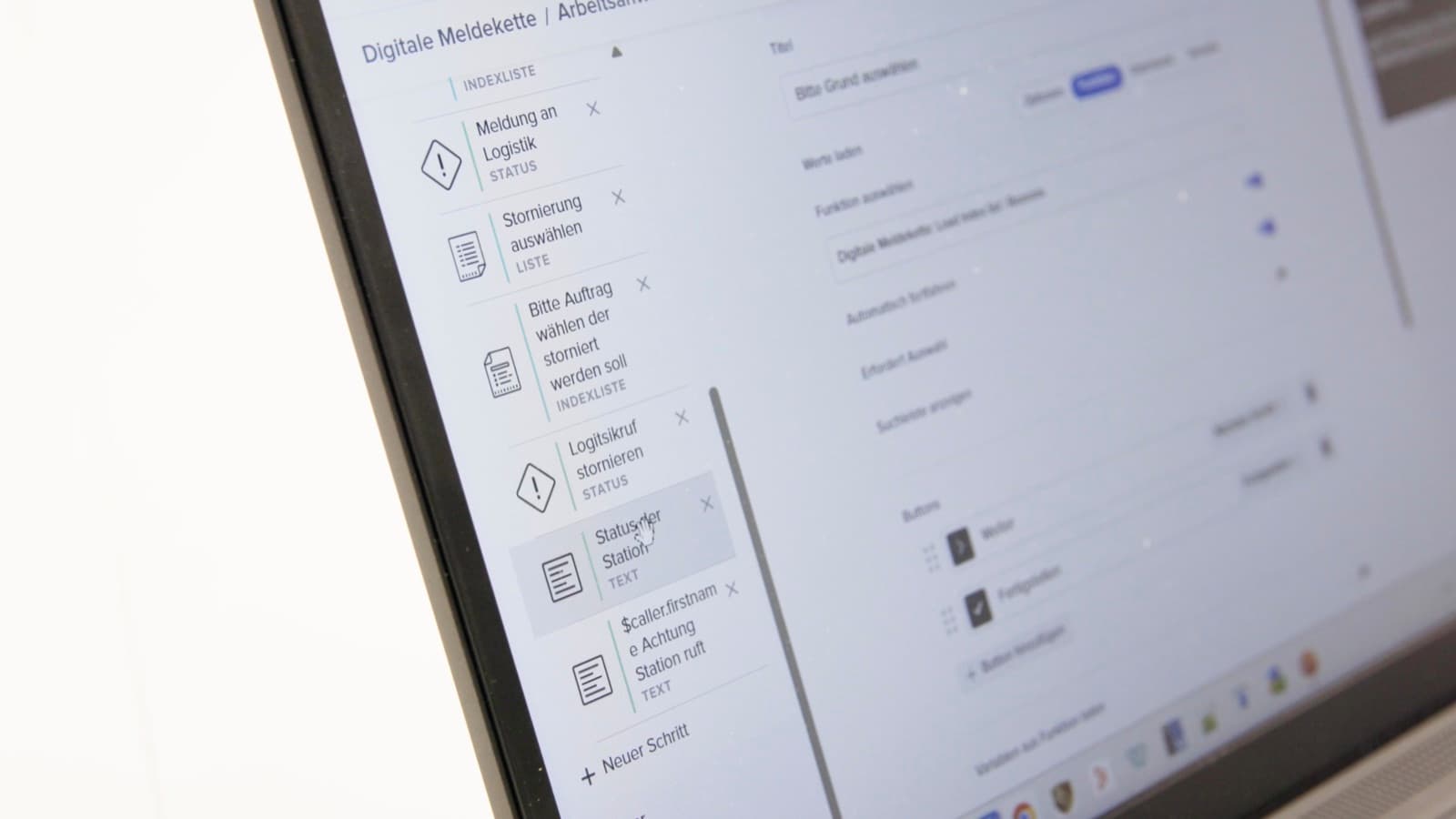
- The system assembles a structured draft. The description is turned into a sequenced set of steps, each one mapped to an interface: a checklist item, a data-capture field, a photo prompt, or a signature. This is AI-native workflow building applied to the specific case of a work instruction, and it is the default way instructions on the execution layer now get created.
- Ops reviews, edits, and approves. The reviewer checks step order, tightens language, and confirms nothing was missed. Approval is a required gate, not a formality: nothing publishes without a named person signing off.
- It goes live at the station. Once approved, the instruction appears on worker devices, smartwatch, smartphone, tablet, or kiosk, by the next shift. The next step will not open until the current one is confirmed, and a skip triggers escalation instead of silence.
This is the same evaluate-by-doing loop most assembly leaders already run manually: record the process, build the instruction, run it on the line, watch what happens. AI-native build removes the wait between the second and fourth steps.
How long does it take, and what does it cost?
Going from a described process to a live instruction takes a single working session rather than a development sprint, because the interface, the logic, and the data write-back are assembled from existing components instead of custom-coded. At Workerbase, 85% of configuration across deployments is handled by ops teams directly, without an IT ticket.
The comparable customer evidence is GKN Powder Metallurgy, which went from concept to full production deployment on the Workerbase platform in under three months, and now runs roughly 80% of its manual shopfloor processes through the platform. That figure covers a full multi-use-case rollout, not a single instruction; a single work instruction, described and reviewed, is a same-day exercise once the platform is in place. As Paul Mairl, CDO at GKN Powder Metallurgy, put it: "Workerbase makes the whole shopfloor more dynamic, more agile. We are much quicker in reacting to the ups and downs every production has."
Cost follows the same shape as speed. Building a workflow from a description and a review pass is materially cheaper than commissioning a custom app or waiting for an IT development slot, because nothing is written as new code. What you are paying for is configuration time and the review cycle, not development time.
What happens to your existing SOPs and paper documentation?
Existing SOPs are not discarded. They are the input the system uses to build the first draft of the digital version, so the accuracy already in your documentation carries forward instead of getting rewritten from scratch. The reviewer's job shifts from writing the instruction to checking the machine-generated draft against what actually happens at the station.
This matters because the SOP itself is rarely the problem. Most SOPs are correct. The failure mode is that they sit two clicks away in SharePoint while the operator is on the line under time pressure, so they work from memory instead. Feeding the existing SOP or a recorded video of the correct method into the drafting step means the years of accumulated process knowledge in that document are not lost; they become the enforced sequence at the station instead of the ignored PDF on the shared drive.
How do digital work instructions handle product variants and changeovers?
Product variants and changeovers are handled as branches within the workflow logic, so one instruction can route a worker to the correct step sequence based on the order, part number, or configuration being run. A changeover checklist, a torque spec, or a variant-specific inspection step is conditional logic, not a separate document to maintain.
Because the underlying engine supports conditional branching, skill-based routing, and threshold checks, a single digital work instruction can flex across variants without becoming five different laminated sheets that drift out of sync with each other. When a variant is added or a spec changes, the update is made once and propagates to every station running that workflow the moment it is approved, closing the exact failure mode every variant-heavy line knows: engineering updates a spec on Friday, the first shift hears about it Monday, and the second shift never hears at all.
Do you need to connect a digital work instruction to your MES or ERP?
A digital work instruction does not require MES or ERP integration to function, but connecting one lets the instruction pull live order context and write completion data straight back into the system of record. Without a connection, the instruction still enforces sequence and captures a log; with one, that log updates ERP or MES automatically instead of requiring a manual re-entry at shift end.
Workerbase connects to SAP, MES, WMS, SCADA, and QMS through more than 100 out-of-the-box integrations, and a workflow can both read from and write back to those systems. A common pattern is a production order released in the ERP triggering the correct work instruction automatically, pulling the order details and current spec revision into the worker's interface, then writing the confirmed result back on completion, so the paper traveler and the end-of-shift re-typing disappear at the same time.
Is an AI-assembled work instruction safe to run on a live line?
An AI-assembled work instruction is safe to run on a live line because nothing publishes without human approval, every version is tracked, and any change can be rolled back instantly if something is wrong. The AI accelerates drafting; it does not decide what goes live.
This is the governance guarantee that makes AI-assisted authoring usable on a production line in the first place, rather than a separate feature bolted on afterward: no ungovernable code runs, because every application is validated for the production floor before publish; every version is tracked and traceable, so a bad change rolls back to the last known-good version with no line risk; and human approval sits on every consequential decision, structural to the process rather than a policy someone can skip under deadline pressure. Workerbase is ISO 27001 and TISAX certified, GDPR compliant, and built to be EU AI Act ready ahead of the high-risk compliance deadline of 2 December 2027, with human oversight and a full audit trail already in place rather than retrofitted later.
What are the most common mistakes when creating digital work instructions?
The most common mistake is treating the AI-assembled draft as final and skipping the review step, which reintroduces exactly the unverified-instruction problem digitization is supposed to fix. A close second is digitizing a process nobody has watched a worker actually perform recently, which just moves an outdated SOP onto a screen.
Three patterns show up repeatedly:
- Skipping the review gate. A draft that goes live unreviewed can encode a step that was already wrong on paper. The review step exists to catch that before it reaches the floor, not after.
- Instructions written for the process on paper, not the process on the line. If the SOP was last checked two years ago, feeding it in verbatim just digitizes the drift. Recording a short video of how the step is actually performed today catches divergence the paper missed.
- No owner after go-live. A digital work instruction that nobody revisits decays the same way a laminated sheet does, just less visibly. Assigning a named reviewer for periodic checks keeps the instruction matched to the current spec.
What results can you expect from digitizing work instructions?
Manufacturers that move from paper to digital work instructions see fewer defects and faster task completion, with the size of the improvement tied to how disciplined the paper process was to begin with. A controlled study from RWTH Aachen University, published in the Journal of Operations Management, found that subjects using digitally animated, interactive work instructions performed significantly better on a new assembly task, with fewer defects and less time required, than subjects working from paper-based technical drawings.
That improvement compounds with scale. GKN Powder Metallurgy's shopfloor now runs roughly 80% of its manual processes through Workerbase, reaching full production deployment in under three months from the initial concept. The underlying capability is the same one described above: configuration handled by ops teams, not developers, with 85% of deployments configured without IT involvement.
The knowledge-loss angle is worth sizing separately. Deloitte's manufacturing skills gap research points to a wave of retirements pulling experienced workers out of the industry over the next several years, taking undocumented process knowledge with them. A digital work instruction built from a recording of how the most experienced operator actually performs a step captures that knowledge in the workflow itself, rather than leaving it to walk out the door when that person retires.
Frequently Asked Questions
Can AI generate a work instruction from a video instead of written text?
Yes. Recording a short video of the correct method is one of the three accepted inputs, alongside a plain-language description and an uploaded SOP or PDF. The system turns the recorded steps into a structured sequence, which a reviewer then edits and approves before it publishes to worker devices.
Who is responsible for reviewing an AI-drafted work instruction before it goes live?
A named ops reviewer, typically the line supervisor, process engineer, or CI lead who owns that process. Approval is a required gate in the workflow, not an optional check: the draft cannot reach a worker's device without a person signing off on step order, language, and completeness.
Does creating digital work instructions with AI require a data science team?
No. The drafting step takes a plain-language description, a recording, or an existing document as input, and manufacturing teams handle 85% of configuration across deployments without IT or data science involvement. The people who already run the line are the ones who build and approve the instruction.
What happens if a worker skips a step in a digital work instruction?
The next step will not open until the current one is confirmed, so a skip is either physically prevented or immediately flagged. If a step is not acknowledged or completed within the expected time, the system escalates automatically instead of the gap staying silent until final inspection.
Can one digital work instruction cover multiple product variants?
Yes, through conditional branching inside the same workflow rather than separate documents per variant. The instruction routes the worker to the correct step sequence based on the order, part number, or configuration in progress, so a spec update is made once and applies everywhere that variant runs.
How is a digital work instruction different from a checklist app built in a generic low-code tool?
A generic low-code tool can build a form, but it does not natively route a task to a skill-matched, on-shift worker, escalate automatically when a step is missed, run on an industrial smartwatch, or write results back into MES or ERP. A digital work instruction on Workerbase ships with those capabilities built in, so the deployment is configuration rather than ground-up development.