How to Build Frontline Operations Software with AI
Share article
Quick answer: Building frontline operations software with AI means describing a process in plain language, a prompt, a sketch, or a short video, and having a platform assemble it into a validated shopfloor app your ops team approves before it reaches a worker's device. The build takes minutes; the governance around it is what makes it safe on a live line.
Ops leaders and IT teams keep hearing the same pitch: describe what you need, and AI builds it. For frontline operations software, that pitch is now mostly true. Building a shopfloor application with AI has gone from a demo trick to a repeatable process a continuous improvement manager or process engineer can run without a developer in the room.
What hasn't changed is who signs off before it runs on a live line. A generated checklist or escalation workflow is only as good as the review it passes and the systems it's wired into. This piece is the practical version: the actual steps from a described process to a validated app on a worker's device, what you can build this way today, and where a human who owns the line still has to say yes.
What does it mean to build frontline operations software with AI?
Building frontline operations software with AI means turning a plain-language description, a sketch, or a short video of a process into a working application, with an app builder, a workflow engine, and the system connections assembled together rather than written as custom code. The output is a shopfloor app: a checklist, a guided work instruction, a data-capture form, or an escalation routed to the right worker.
Pointing a general AI coding assistant at a blank editor produces something different: untested custom code with no model of a production line. 47% of manufacturers now use AI in production, according to Octave Pulse's 2026 industry report, and most of what they're building is closer to a configured workflow than hand-written code, already shaped around a work order, a deviation, and a shift: concepts a generic coding tool has no model for.
Do you need developers, or can your ops team build this themselves?
No developer is required for most frontline software built this way. Ops teams, continuous improvement managers, and process engineers describe the process and do the review themselves. 85% of configuration on platforms like this is already handled by operations teams rather than IT, and that share holds for AI-native builds too.
IT's role moves rather than disappears. Gartner's guidance on managing AI agent sprawl names the real risk once building gets this easy: duplicate apps, unclear ownership, nobody with a central view of what's deployed. On a shopfloor that risk is sharper, because a standstill costs real money within the hour. IT becomes the gatekeeper and quality reviewer, approving what goes live and keeping one inventory of what's running, instead of the department that hand-builds every workflow. For the controls side of that handoff, see AI governance in manufacturing.
What are the steps from a described process to a live app on the shopfloor?
The process runs in six steps: describe how the work happens, let AI draft the structured app, review and correct it against reality, route it through formal approval, push it to the devices workers already carry, then watch the execution data it produces and adjust. Every step after the first takes minutes, not weeks.
1. Describe the process as it runs
Start from how the task is really done on the floor, including the shortcuts a laminated sheet never shows. A prompt works for a simple process; a short phone video of an operator at the station captures the steps a written procedure usually misses, like the extra check the day shift added after a complaint. If the process already exists as a PDF SOP, converting it doesn't require retyping it first.
2. Let AI draft the structured app
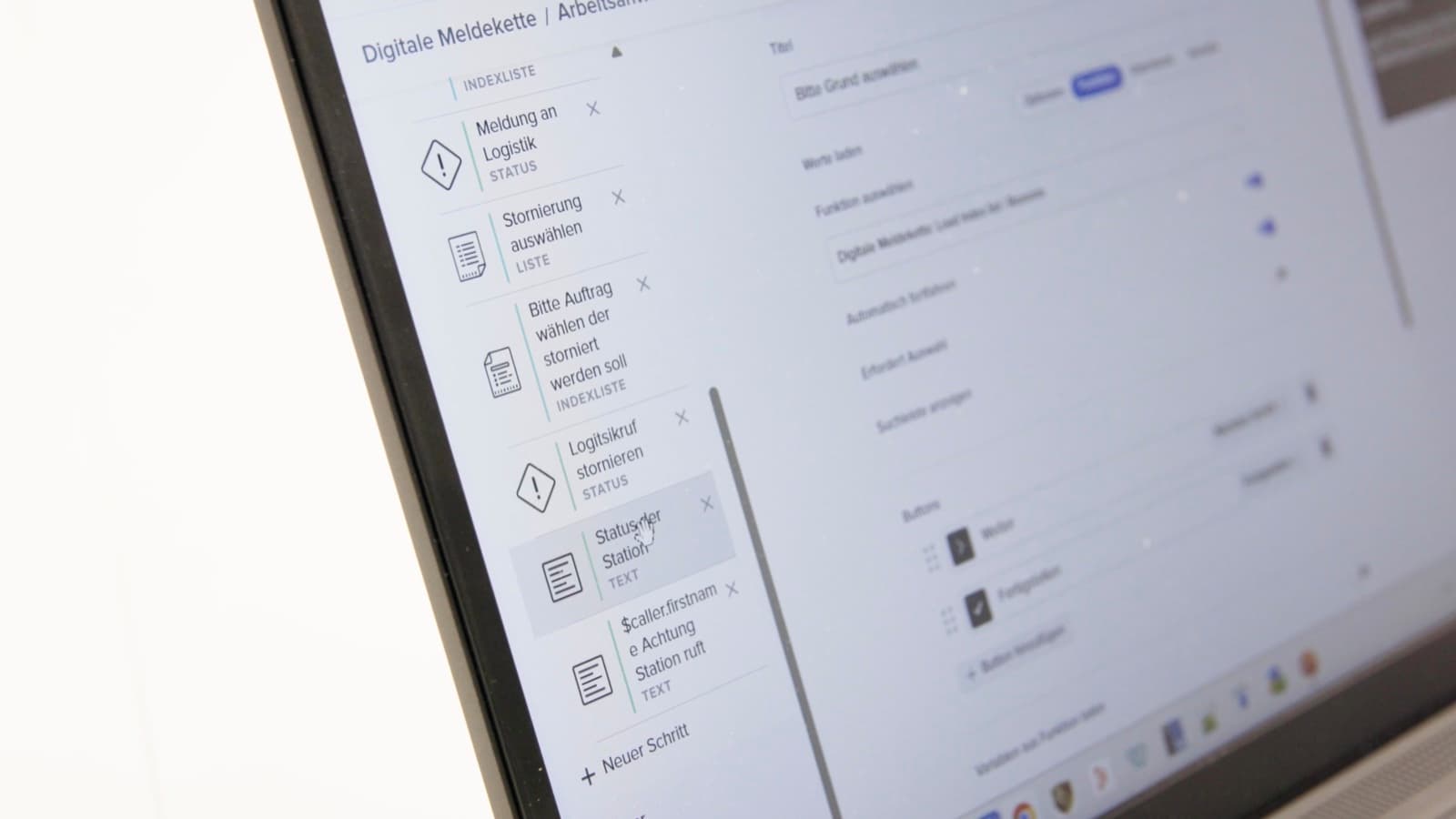
The platform turns the description into a draft workflow: the trigger, the steps, the data captured at each one, and the interface a worker sees. This is the part that got fast. A process that would have taken a developer days to scope now exists as a reviewable draft in one session.
3. Review and correct against reality
A process owner checks the draft against the real job: is the sequence right, does a step need a photo or a measurement, is the escalation rule set to the right person. The owner adjusts the draft rather than starting over, which is where local knowledge gets captured instead of lost.
4. Get sign-off before it goes live
The person who described the app and the person who approves it for the floor shouldn't be the same person. Formal sign-off is what turns a fast draft into a deployable change, and it's the step teams are most tempted to skip because the build felt instant.
5. Deploy to the devices workers already carry
Once approved, the app goes live on whatever device fits the environment: an industrial smartwatch for a one-tap Andon call, a phone or tablet for guided steps and photo capture, a kiosk for a shared station. There's no separate rollout project to run afterward.
6. Watch what it produces, then adjust
Every run of the app generates structured data: how long each step took, what deviated, where an escalation fired. At Porsche's Zuffenhausen plant, digitizing a new use case this way dropped from months to days, because the review and deployment steps were already in place rather than improvised each time. Use what the data shows to adjust the workflow and push the next version live the same way.
What kinds of frontline software can you build this way?
Most of what a shopfloor runs on paper or a group chat today maps to one of five app types, and each one still needs to read from or write to the system that already owns that data.
| App type | Replaces | Writes back to |
|---|---|---|
| Guided work instruction | Laminated sheet, paper SOP | PLM (current revision) |
| Digital checklist | Clipboard, paper form | QMS |
| Data-capture form | Spreadsheet, manual log | ERP or MES |
| Andon or escalation workflow | Phone call, group chat | SCADA or MES |
| Shift or station dashboard | End-of-shift verbal handover | MES |
None of these work as a standalone island. The app is only as useful as the data it reads for context and writes back when the task is done, which is why the 100-plus out-of-the-box integrations a platform ships with matter as much as how fast it builds the interface.
Is software built this way safe to run on a live production line?
Yes, provided three conditions hold: nothing runs unapproved, every version is tracked and reversible, and a human is in command of every consequential decision. Governing AI-built apps in manufacturing is what separates an app that stays in a sandbox from one a plant manager will let onto a live line.
In practice that means: the app can't go live without the sign-off in step 4 above, a bad change rolls back to the last known-good version instantly instead of triggering a firefight, and every step is logged: who ran it, when, and with which instruction version. The EU AI Act's Article 50 transparency duties have applied since August 2, 2026, with the higher-risk obligations for standalone systems deferred to December 2, 2027. Because conformity assessment happens before deployment, an app you want live by then has to be built against these controls now, not retrofitted later.
The adoption pattern bears this out. At thyssenkrupp Rasselstein, one governed deployment produced 20 new use case ideas from across maintenance, operators, quality, and logistics within weeks, because teams trusted what was already running enough to ask for more.
What are the most common mistakes manufacturers make building frontline software with AI?
Treating approval as optional because the build felt instant. A workflow that took ten minutes to draft still needs a second person to sign off before it reaches a worker's device. Skipping that step because nothing about the process felt slow is how an unreviewed change ends up on a live line.
Building on generic AI-generated code instead of certified components. An app assembled from manufacturing-specific building blocks already understands a work order and a skill requirement. One generated as arbitrary new code has to be taught all of that from scratch, and usually isn't.
Nobody owning the running inventory. Once building is this easy, every department starts building. Without one person or team tracking what's deployed, duplicate apps and abandoned drafts pile up faster than anyone notices.
Forgetting the write-back. A checklist that looks finished on a tablet but doesn't write its result into MES or ERP creates a second, unofficial record that drifts from the real one within a few shifts.
Frequently Asked Questions
Can you build frontline operations software with AI without writing any code?
Yes, for most shopfloor use cases. A process expert describes the task in plain language, a sketch, or a short video, and the platform assembles the interface, logic, and system connections behind it. No-code covers checklists, guided instructions, data-capture forms, and escalation workflows; a low-code builder stays available for anything that needs custom logic the no-code path doesn't reach.
How long does it take to go from idea to a live app?
The draft itself takes minutes. What determines total time is your approval cycle: teams with a fast, clear review step go live the same day on an existing line, while a first deployment that also sets up new system connections to ERP, MES, or SCADA typically takes about two weeks, in line with standard shopfloor platform go-lives.
What's the difference between this and a low-code platform like Power Apps?
A generic low-code tool builds a form. It doesn't natively understand a production line, route a task to a skill-matched, on-shift worker, or write results back into MES. Frontline-specific AI building starts from manufacturing components, so routing, escalation, and system write-back are already there rather than something you engineer yourself.
Does AI-built frontline software need to be re-approved every time it changes?
Yes. The first version and every change after it go through the same approval and versioning gate; there's no fast path for a "small" edit. That consistency is what makes rollback reliable: if a change causes a problem, you revert to the last approved version instead of trying to reconstruct what the workflow looked like before it.
What devices does frontline software built this way run on?
Whatever fits the environment: an industrial smartwatch for a one-tap Andon call or alarm acknowledgment, a phone or tablet for guided steps and photo capture, or a kiosk for a shared station view. The same app adapts to the device it's opened on, in the worker's own language, without a separate build for each device type.
Is this the same thing as "vibe coding" on the shopfloor?
It uses the same natural-language input, but the output is different. Vibe coding generally means AI generating new custom code from a prompt. Building frontline operations software this way assembles an app from pre-tested, manufacturing-specific components instead, which is what lets it plug into a work order and a skill record without someone auditing generated code line by line.
Ready to see the six steps run on your own process? Request a Workerbase demo and bring the one workflow that's still a clipboard or a group chat today.