Best Practices for Mobile Work-Order Execution That Lowers MTTR
Share article
Quick answer: Mobile work-order execution lowers MTTR by moving the alarm, the routing decision, the fix history, and the sign-off onto the technician's device instead of a desktop terminal and a paper traveler. The practices that make the difference: route by skill and location automatically, surface prior fix history at the point of failure, enforce step-by-step confirmation, and capture the resolution the moment it happens.
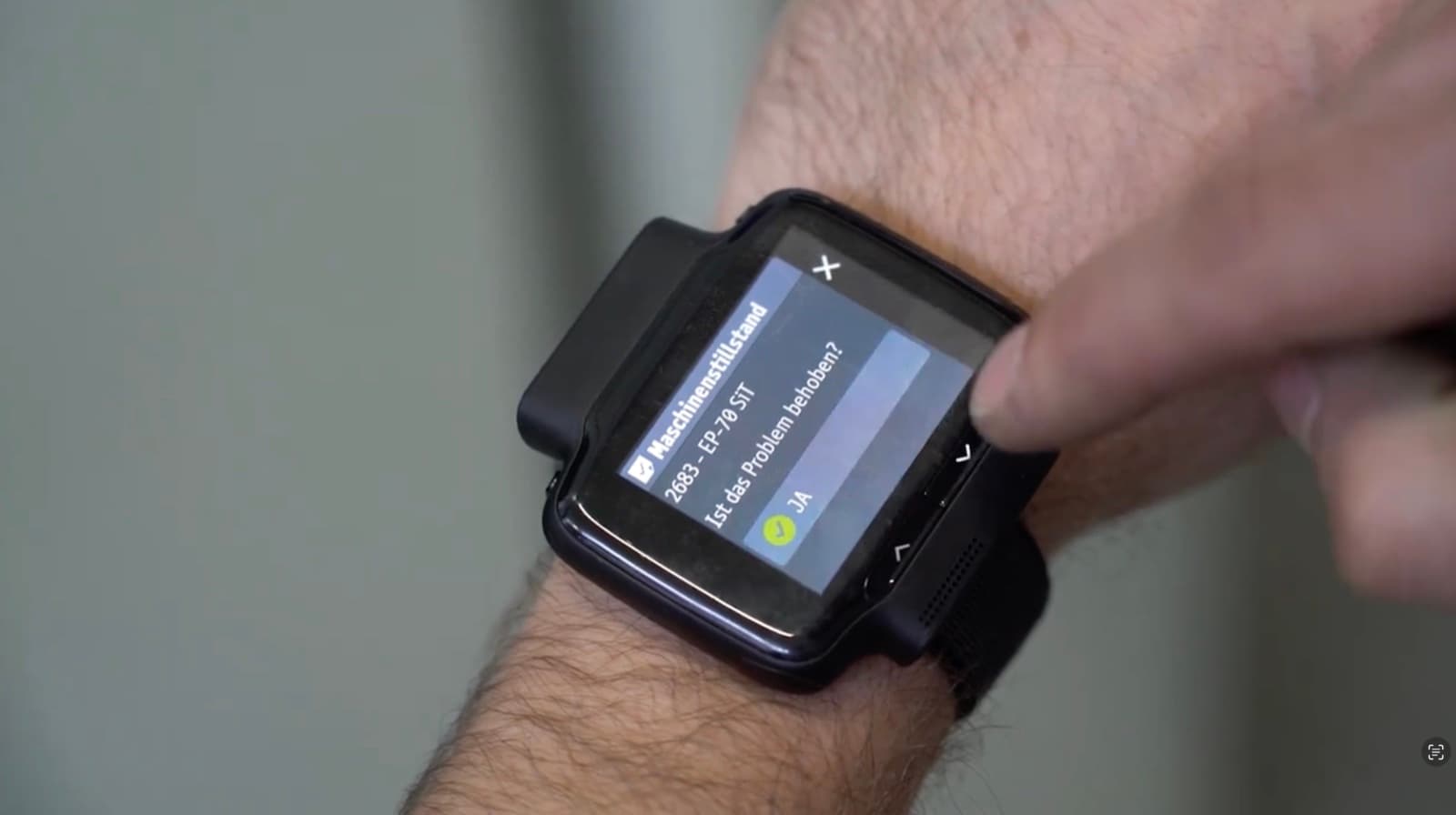
Mobile work-order execution is the practice of running the full alarm-to-resolution cycle, dispatch, diagnosis, repair, sign-off, on a technician's phone, tablet, or industrial smartwatch rather than on paper or a desktop CMMS terminal. Workerbase treats it as the layer that closes the gap between the machine that stopped and the person who fixes it: the task is assigned automatically, the technician executes with full context at the machine, and every step is verified rather than assumed.
Most maintenance teams already own a CMMS. The gap isn't the software license, it's that the work order still lands on a screen the technician has to walk back to a desk to check. Every minute spent walking to that screen is a minute the machine stays down.
What is mobile work-order execution, and how is it different from a mobile CMMS app?
Mobile work-order execution is the full loop, detect, route, execute, verify, running on the technician's device. A mobile CMMS app, by contrast, is usually just the existing work-order list rendered on a smaller screen: the technician can view and close tickets from a phone, but the routing logic, the fix history, and the step enforcement still live back in the desktop system.
The difference shows up at the moment of failure. A mobile CMMS app tells a technician a work order exists. Mobile work-order execution tells them which technician should take it, what fixed this machine last time, and whether every required step was actually completed, before the ticket closes.
Why does alarm-to-action time matter more than MTTR alone?
MTTR only starts counting once a technician is actively working the repair. The waste that precedes it, the time between the machine stopping and someone qualified arriving with the right context, is invisible to that number and usually larger than the repair itself.
In most plants, that gap runs 20 to 40 minutes: someone notices the alarm, someone calls a technician, someone tries to remember or find what fixed it last time. Every one of those minutes is spent before any actual repair work starts, which is exactly why closing it doesn't show up if the only number being tracked is MTTR.
McKinsey's research on frontline workforce productivity found that the average company captures only about a third of the value it expects from a digital initiative, a gap McKinsey attributes largely to tools that get deployed without changing how frontline work actually happens. A mobile app that only displays the same work order faster falls into exactly that gap: the screen changed, the alarm-to-action time didn't.
How should work orders route to the right technician automatically?
A work order should route on skill, certification, location, and current availability, the same logic a good dispatcher would apply by phone, but running the instant the alarm fires instead of after someone remembers to make the call.
- The alarm or sensor signal creates the task. No one has to notice the red light or file a ticket manually.
- The system checks who is certified, nearby, and free. Not who happened to answer the radio.
- The task, plus its fix history, lands on that technician's device. Dispatch and context arrive together, not as two separate steps.
- A planner sees the full workload across shifts and skill groups in one view, so a skipped or stalled assignment is visible before it becomes an overdue work order nobody is tracking.
Workerbase's skill and certification tracking feeds this routing with live data rather than a static roster, so the assignment stays correct as technicians move between shifts, lines, and qualifications.
What does a technician need on their device to close a work order fast?
A technician needs the same four things they'd otherwise have to reconstruct from memory, a colleague, or a filing cabinet: what this machine's alarm history looks like, what fixed it last time, the current OEM documentation, and a way to confirm each step as it's done. None of this requires new hardware. In a 2016 Frost & Sullivan workplace mobility survey, workers equipped with smartphones for job tasks reported a 34% productivity gain and reclaimed close to an hour of work time a day, evidence that the device most technicians already carry is enough, provided what runs on it is the actual workflow and not a digitized paper form.
- Alarm and repair history for the specific asset, not a generic troubleshooting guide
- The current, correct revision of the relevant OEM manual or procedure, not last year's PDF from a shared drive
- AI-guided troubleshooting drawn from prior fixes, so the first suggestion is grounded in what actually worked on this machine before
- Step-by-step confirmation, so a skipped check escalates automatically instead of silently disappearing into a closed ticket
Structured logging is what makes the next repair faster than this one: alarm type, root cause, action taken, parts used, and duration get captured at the moment of completion, not reconstructed from memory at the end of the shift. That record is also what a preventive maintenance workflow draws on once a failure pattern repeats often enough to justify one.
What results have manufacturers achieved with mobile work-order execution?
Manufacturers running mobile-first maintenance execution report both faster individual repairs and fewer of the recurring failures that used to eat the maintenance budget every quarter.
| Result | Figure | Source |
|---|---|---|
| Avoided downtime, single use case, one automotive assembly plant | €1.2M p.a. | Workerbase, customer co-calculated |
| Reduction in unplanned line stops | 36% | Dantherm success story |
| Worker productivity increase | 12–15% | thyssenkrupp Rasselstein success story |
| Go-live on one production line | 2 weeks | Workerbase platform metric |
Faster repairs alone don't produce numbers like these. They come from pairing the repair speed with the knowledge capture, so the same failure stops recurring once its root cause is on record instead of in one technician's head.
What mistakes turn a mobile rollout into shelfware?
The most common failure isn't the technology, it's deploying a device without changing what happens on it. Three mistakes account for most stalled rollouts:
Digitizing the paper form instead of the workflow. A PDF work order on a tablet is still a PDF work order. If the routing, the history lookup, and the step confirmation aren't built into the flow, the technician is filling out the same form on a smaller screen and gets none of the time back.
Leaving routing manual while automating everything else. A plant that auto-creates tasks from alarms but still assigns them by whoever answers the radio has automated the easy half of the problem and left the 20-to-40-minute gap untouched.
Treating the closed work order as the finish line. A ticket closed with "repaired" and no root cause captured teaches the system nothing. The next occurrence of the same failure starts from zero again, on a different shift, with a different technician who has no way to know it's happened before.
None of these are technology failures. They're the difference between putting a screen in a technician's pocket and putting the actual workflow there. Deloitte's 2026 manufacturing industry outlook puts this in perspective: more than 81% of manufacturing task hours are expected to stay human-driven even as plants invest further in digital tools, so a mobile rollout that doesn't equip and route the people doing that work is optimizing the smaller half of the problem.
Teams evaluating the switch usually start by walking through the alarm-to-task flow on their own highest-downtime line before committing to a plant-wide rollout.
Frequently Asked Questions
Does mobile work-order execution replace our existing CMMS?
No. Mobile work-order execution typically runs alongside an existing CMMS such as SAP PM, Maximo, or Infor EAM: the work order still originates there, and closing it writes the resolution back automatically. What changes is what happens between those two points, the routing, the context at the machine, and the step-by-step capture, none of which a CMMS record alone tracks.
How much can mobile execution actually reduce MTTR?
It depends on how much of the 20-to-40-minute pre-repair gap a given plant is currently losing, since that gap, not the repair itself, is where mobile execution has the most room to work. Workerbase customers have measured the effect in downtime avoided rather than MTTR alone: Dantherm cut unplanned line stops 36%, and an automotive assembly customer avoided €1.2M a year from a single use case on one plant.
What's the difference between MTTR and alarm-to-action time?
MTTR measures the repair itself, from the moment a technician starts working the problem to the moment it's resolved. Alarm-to-action time measures everything before that: the interval between the machine stopping and qualified hands actually starting the repair. In most plants that pre-repair gap is 20 to 40 minutes, and it's invisible to a standard MTTR calculation.
Do technicians need special hardware for this to work?
No. Mobile work-order execution runs on smartphones, tablets, or an industrial smartwatch, whichever device a plant's technicians already carry or can adopt easily. The requirement is software that routes, surfaces history, and enforces step confirmation, not a specific piece of hardware.
How long does it take to see a measurable result?
Manufacturers typically go live on one production line within two weeks and see a measurable change in response time or downtime within 30 days. Starting with a single line and a specific recurring failure, rather than a plant-wide rollout, is what keeps that timeline realistic.
What happens to the data captured during a mobile work order?
Alarm type, root cause, action taken, parts used, and duration are structured into a searchable maintenance record the moment the technician confirms each step. That record feeds both the next technician who hits the same failure and, once a pattern repeats often enough, a proposed preventive maintenance workflow built from what actually happened rather than a generic schedule.